Stages and inventories
Lay out a line's stages and branches, and declare the sounds of a stage in an inventory.
A line runs from its first stage through the stages after it, and the changes between two stages carry every word from one to the next. The examples come from the Latin to Castilian demo.
Stages
A new project's line starts from the stage named under First stage in the Create a project dialog, Origin unless you change it. It holds the line's starting words. The last stage is the end of the line.
- Under the last stage, press + stage at the end or + stage before the end.
- Fill in Name, and When (optional) for a date such as
c. 1100. - Press Save.
A stage before the end goes after the last change. To place one among the changes, choose Stage from a change's + menu.
Press a stage's name to rename or date it. To move it, drag the grip on its row, or focus the grip and press ↑ or ↓. The changes keep their order, so no form changes. To delete a stage, point at its row and press ×. Its changes move to the next stage. The first and the last stage stay, and so does a stage a branch splits from.
Every edit saves a second later, as in the matrix.
The stage window
Pressing a stage's name opens its window.
| Tab | What it shows |
|---|---|
| Settings | Name and dating, typology, the lexicon, the inventory, correspondences, word shape, sound combinations and orthographies |
| Score | The derived words against a lexicon, once one is attached |
| Words | Every word of the line at the stage, with a search |
| Paradigms | The stage's lexemes and their tables |
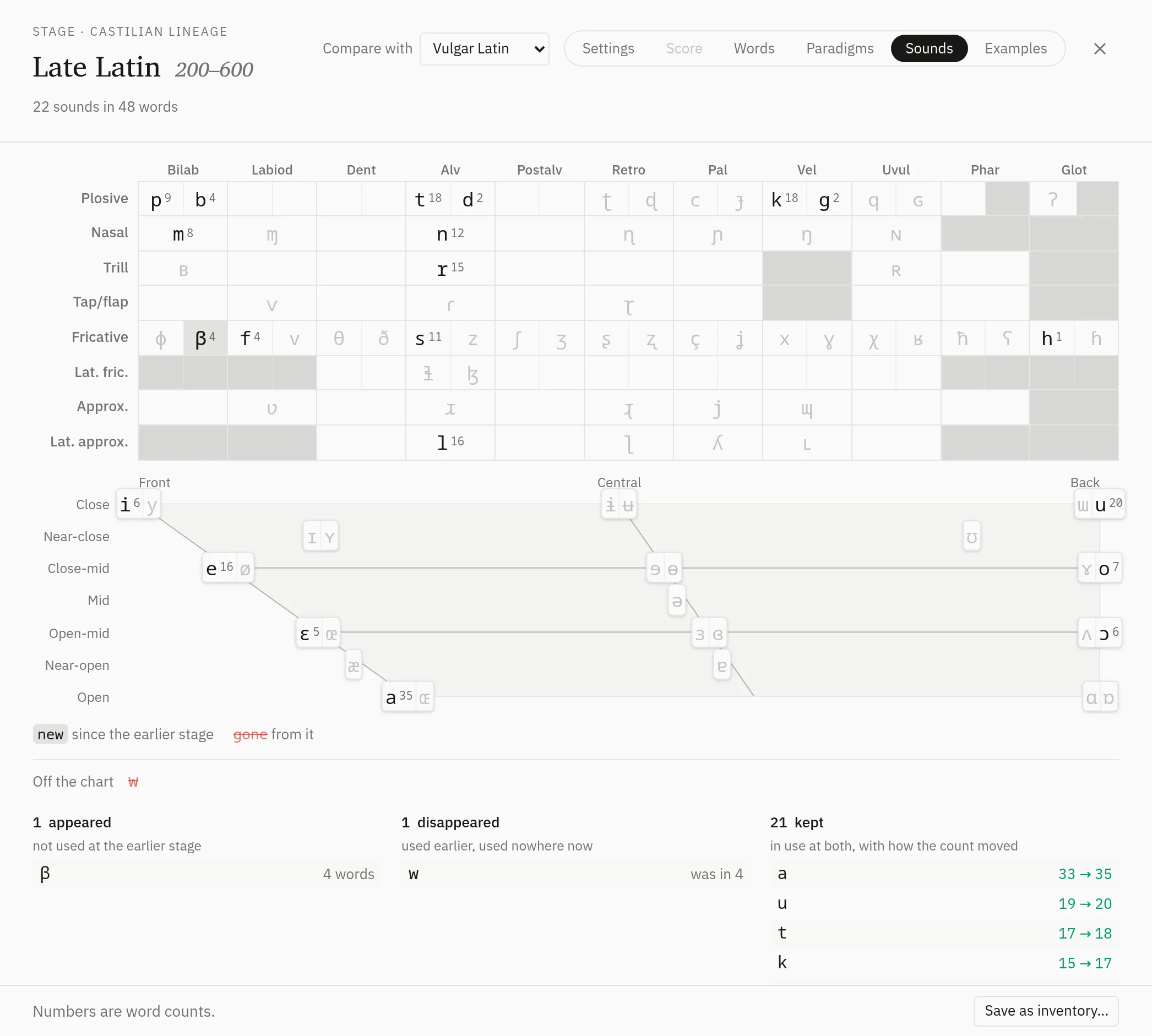
| Sounds | The sounds of the stage's words |
| Examples | The examples as they read at the stage |
In Settings, attaching or detaching a lexicon, an inventory or an orthography saves at once, and so does moving an orthography up or down. Every other setting saves a second after you change it, and the footer shows Saving…, then Saved.
Branches
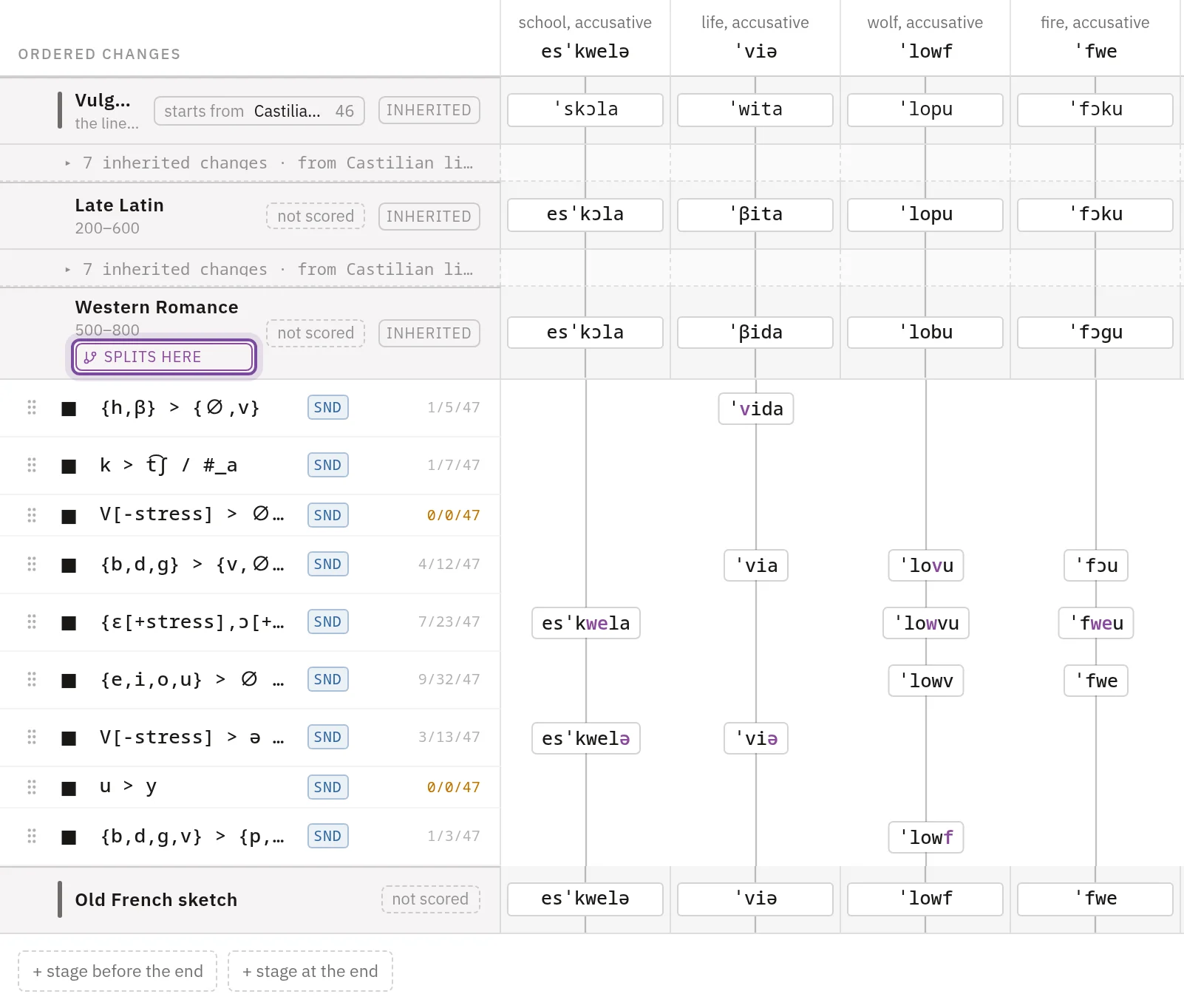
A branch splits from another line at one of its stages and starts from the words that line has there. In the demo, Gallo-Romance splits from Castilian lineage at Western Romance, and Astur-Leonese at Early Ibero-Romance.
- Point at Old Castilian's row and press its branch icon, Add a branch at Old Castilian.
- Name the line and press Save. The branch appears in Family once it is saved.
- Open it from Family and add its first stage with + stage at the end.
The stages a branch shares with its parent are marked inherited, and it follows every edit made to them on the parent. Press splits here to move the branch to another line or stage.
Inventories
An inventory is a list of sounds you declare for a language.
- In the sidebar, press + beside Inventories, name the inventory and press Create.
- Fill it from the IPA chart, a stage, a lexicon or a CSV file. The list saves a second after each change.
- Press Attach to stages, or choose the inventory under Inventory in a stage's Settings. Either way it saves at once. A stage has one inventory.
To detach it in Settings, choose None and press Detach.
From a stage's Sounds tab, Save as inventory… makes one of the stage's sounds and attaches it there. The editor saves your edits first.
The inventory in force at a stage is the one attached there or at the nearest stage before it, the stages a branch shares with its parent included. Borrowings can be adapted to it (see Borrowings), and a word shape can generate words from its sounds. The IPA keyboard opens on it in a field that writes for the stage. An orthography can take its rows from an inventory, and a line's public page shows the one attached to its last stage.
An inventory doesn't limit which sounds a rule may write, as Sound changes explains.
The Sounds tab
The tab charts every sound the stage's words hold once the rules have run. A cell's number counts the words carrying the sound. A sound with a diacritic shares the cell of its base, so kʷ counts under k.
Off the chart holds the sounds with no cell, such as w, and numbered sounds such as h₂. A sound marked not in the catalogue is a symbol Lemula doesn't know, such as a ' typed for stress. Write ˈ instead.
Compare with starts on the inventory in force. Where none is, it starts on the stage before. In the list, an inventory attached to the stage is marked attached here, and one attached to an earlier stage is marked in force. Against an inventory, the tab lists the sounds found, not found and found outside it. Against a stage, it lists what appeared, disappeared and was kept.