The matrix
The editor's table of a line's stages, its changes and its words, what its marks say, and a word's history stage by stage.
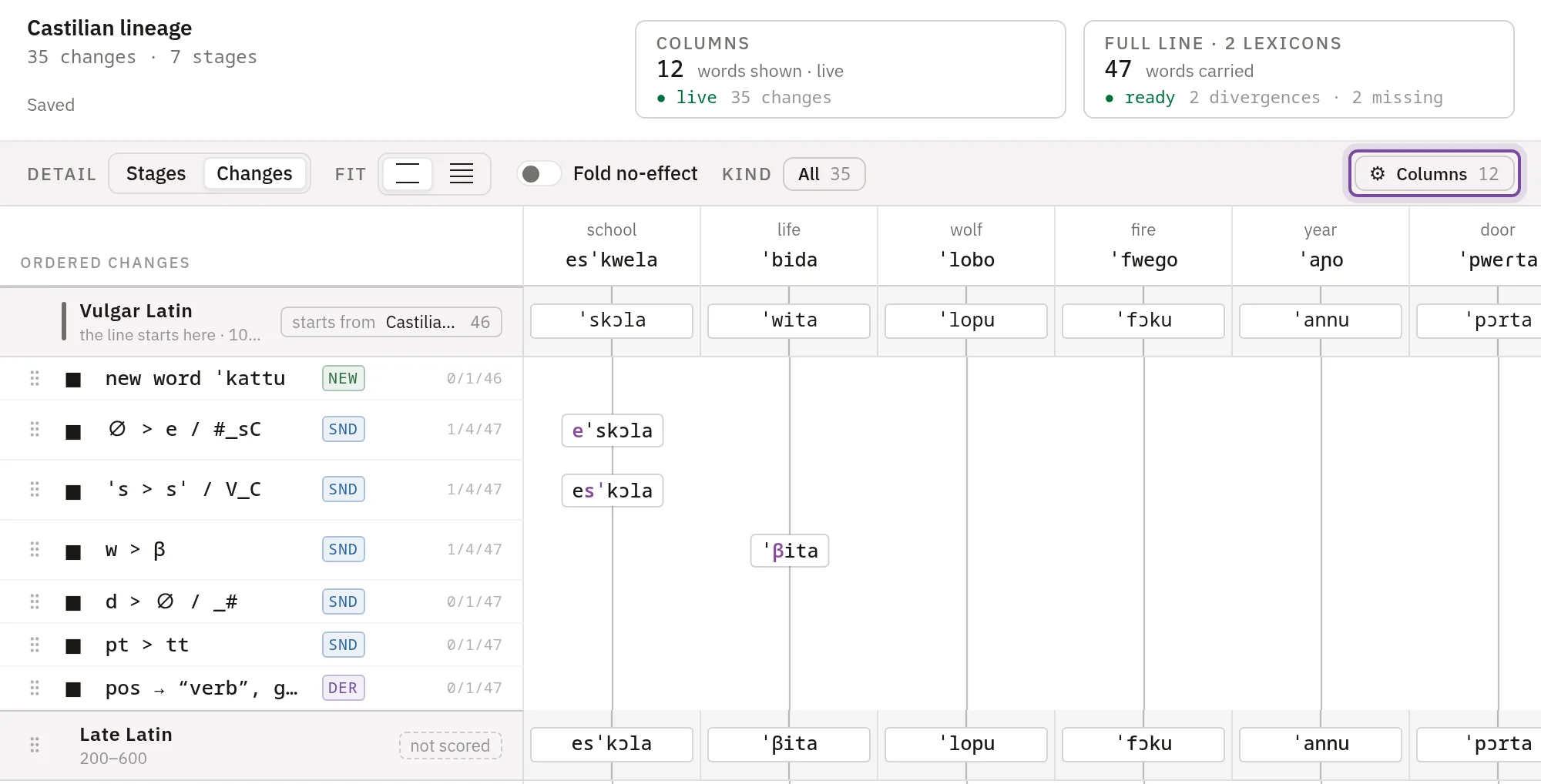
The matrix is the editor's main view of a line. Its rows are the line's stages with the changes between them, in the order they run. Its columns are words. Each cell shows a word's form at that row, so reading down a column follows the word through its history. The examples come from the Latin to Castilian demo.
Rows
A stage's row holds its name, its dating and the lexicon it starts from or is scored against. Each cell shows the word's form at that stage. Press the name to open the stage's window, and see Stages and inventories for adding and moving stages.
A change's row holds its rule or a summary, a badge for its type, and a count such as 1/4/47: words it changed among the columns, on the whole line, and the words the line carried. Sound changes explains the count. A cell on a change's row shows a form only where that change changed the word.
In a branch, the stages it shares with its parent are marked inherited, and their changes are folded. Press the fold to show them.
What the marks say
The strip under the matrix names the marks a column can carry.
| Mark | What it means |
|---|---|
| A plain line | The word goes on unchanged. |
| A form in a box | The change on this row changed the word. |
| ⑃ | The word was derived from another. |
| ⑂ | A compound joined two words into this one. |
| A dashed line | The word was borrowed in at this row. |
| ✝ | The word was lost. |
| ∅ | The word has no sounds here. See Words without sounds. |
On a scored stage, the expected form stands under the derived one, as Reference lexicons describes.
Columns
The matrix shows some of the line's words, one column each. Changes still affect every word, shown or not. Press Columns in the toolbar to choose them.
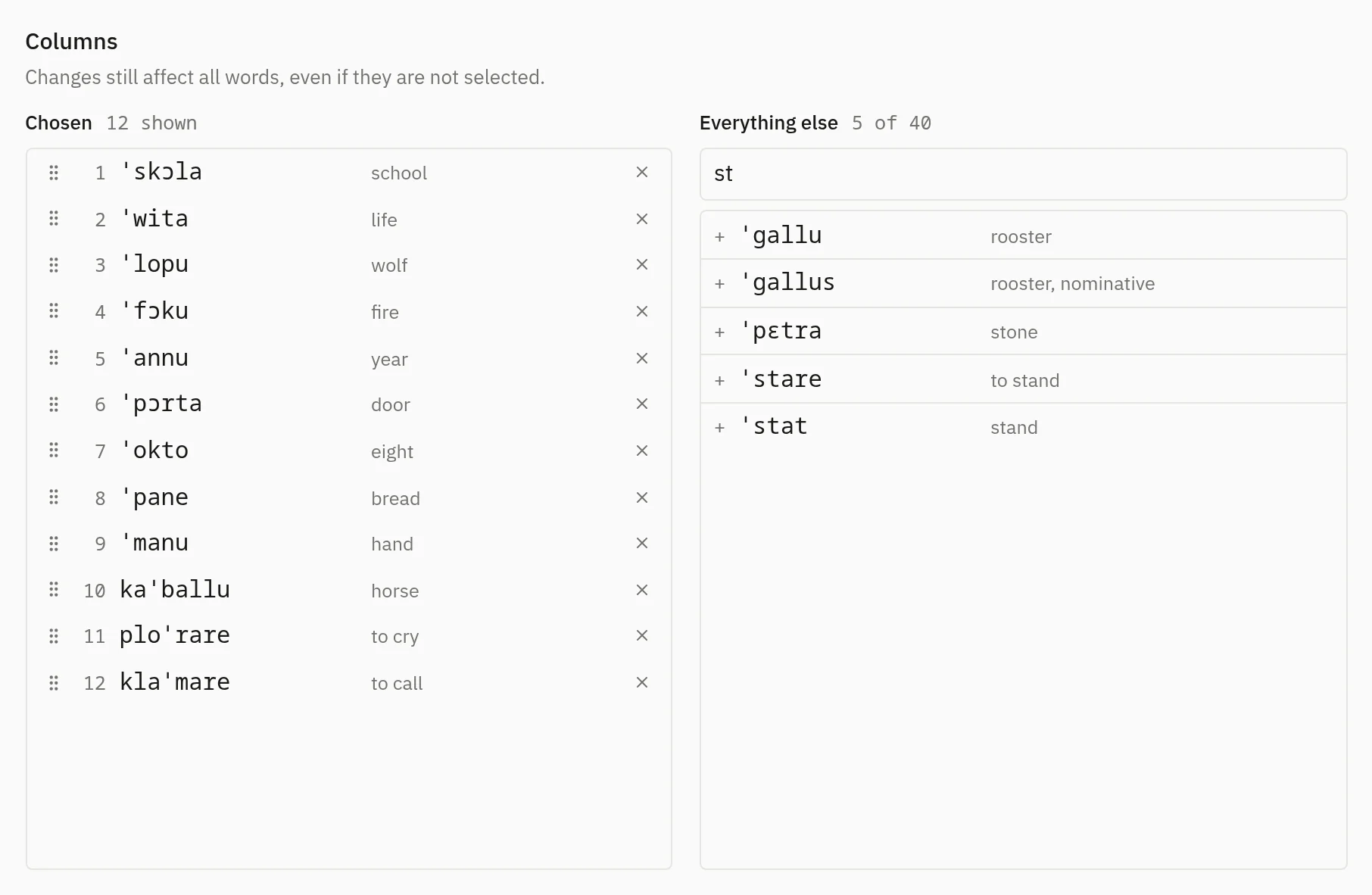
Search on the right by form, gloss or reference, and press a word to add it. Drag a chosen word by its grip to move it, or press × to take it out. The matrix draws as many columns as it has room for, from the top of the list; a line under the last one drawn marks where the rest begin. A column marked ancestry holds a word that a chosen word was made from.
Fit in the toolbar switches between comfortable rows and a width that fits every column on screen. Otherwise the columns scroll sideways.
A word's history
Press a column's heading, or a cell, to open the word's history beside the matrix. It names the word's last form and where it came from, lists its form at each stage, and lists every change that touched it with the rule that fired and the stage it ran before. A borrowing adds how its form was adapted, and an analogy names its model words. Press × or Escape to close it.
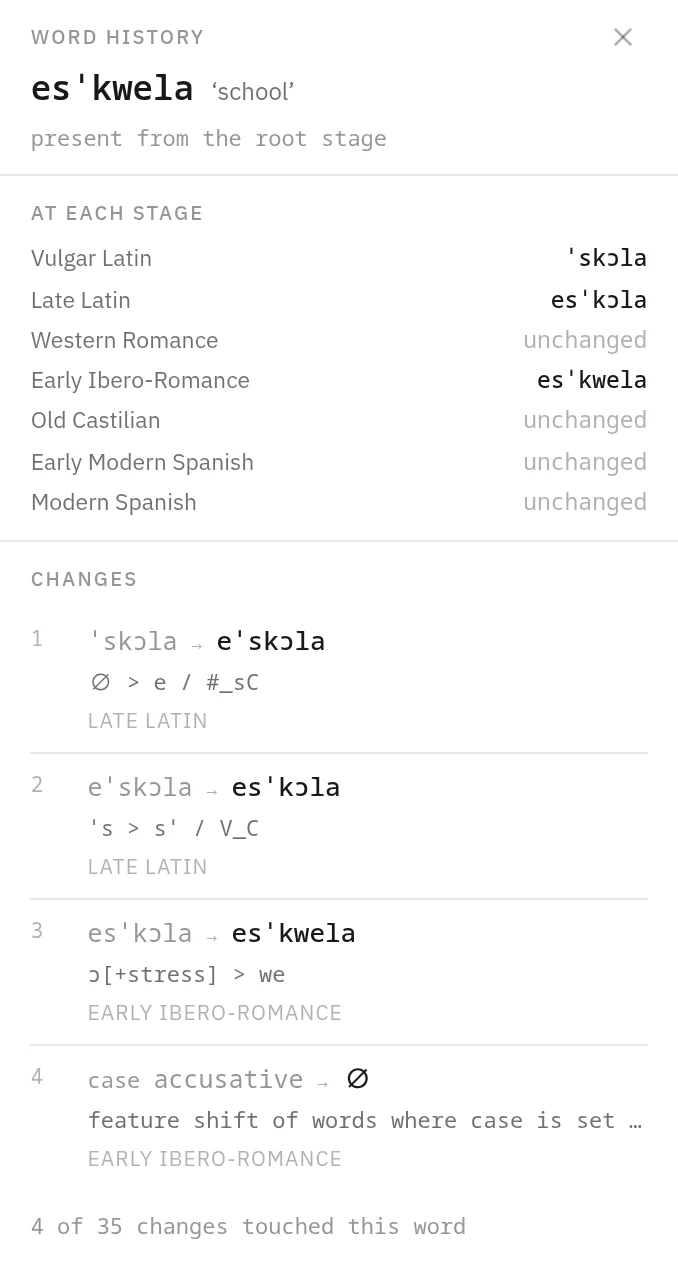
At its foot, a starting word has Edit entry in and the name of the root line's lexicon, which edits the entry in place. A word a change made names that change, and Open change opens it.
Work on changes
Point at a row to see its controls.
-
- adds a change below the row, and its menu lists the types of change. Stage, in the same menu, puts a stage there.
- Pressing a change opens it to edit.
- Drag the grip at the start of a row to move a change, or focus the grip and press ↑ or ↓. Changes run from top to bottom, so the order decides what each one reads.
- The square beside the grip holds a change out of the run, so you can see the line without it. Holding is an edit, saved like any other. A held change stays in the project and runs nowhere: the other screens and the public pages show the line without it. The head of the matrix counts the changes held on the line.
- × deletes a change. Its row stays, marked Deleted, with Restore while the editor is open.
The editor runs the line again in your browser after each edit.
Saving
The editor saves the project a second after your last edit, and again before you leave it. The header shows Saving…, then Saved. A rule you are typing saves once you press Enter, Add or Update.
A save that fails says why and keeps your edits on screen and on this device, as a draft. Your next edit tries again, and so does Retry. If the project changed in another session, the editor says so and offers Reload page, and the draft is offered back after the reload.
A draft that was never saved is offered back when the editor opens again. Restore puts it on screen and saves it. Discard removes it from this device.
The view
The toolbar sets what the matrix draws, and every change still runs over every word.
- Detail shows Stages alone, or Stages with their Changes.
- Fold no-effect collapses each run of changes that changed none of the shown words into one row.
- Kind shows only the changes of the types you pick.
The editor keeps these choices for each project.
The head of the editor
Under the line's name, the head counts its changes and stages. A count of idle changes opens the list of changes that changed nothing, and marks count the borrowings not adapted to their sound set and the changes that leave words with no sounds. Press a count to see the changes behind it.
Two cards sit beside it. Columns is the live run over the shown words, which answers at once after an edit. Full line runs over every word the line carries and adds up the divergences and missing words of its scored stages.