Paradigms
The forms of a word as tables, starting from nothing or from words you already have.
Lay out the forms of a word as a table, and read that table at any stage of a line. Every form is a word of its own, with a row in the lexicon, a column in the matrix and a history. Forms that share a gloss and a part of speech make a lexeme, and the features you mark Paradigm tell them apart.
Three manuals follow one invented language, Kobu, in an Empty project, with four nouns: kuku dog, momo cat, bobo girl and a egg.
Mark the features
- Open Features in the sidebar.
- In the row under the table, beside Grammatical, press Case and Number. Each comes with its usual values, marked Paradigm.
- Remove the values your language lacks. Kobu keeps nominative and genitive.
- Press Save features.
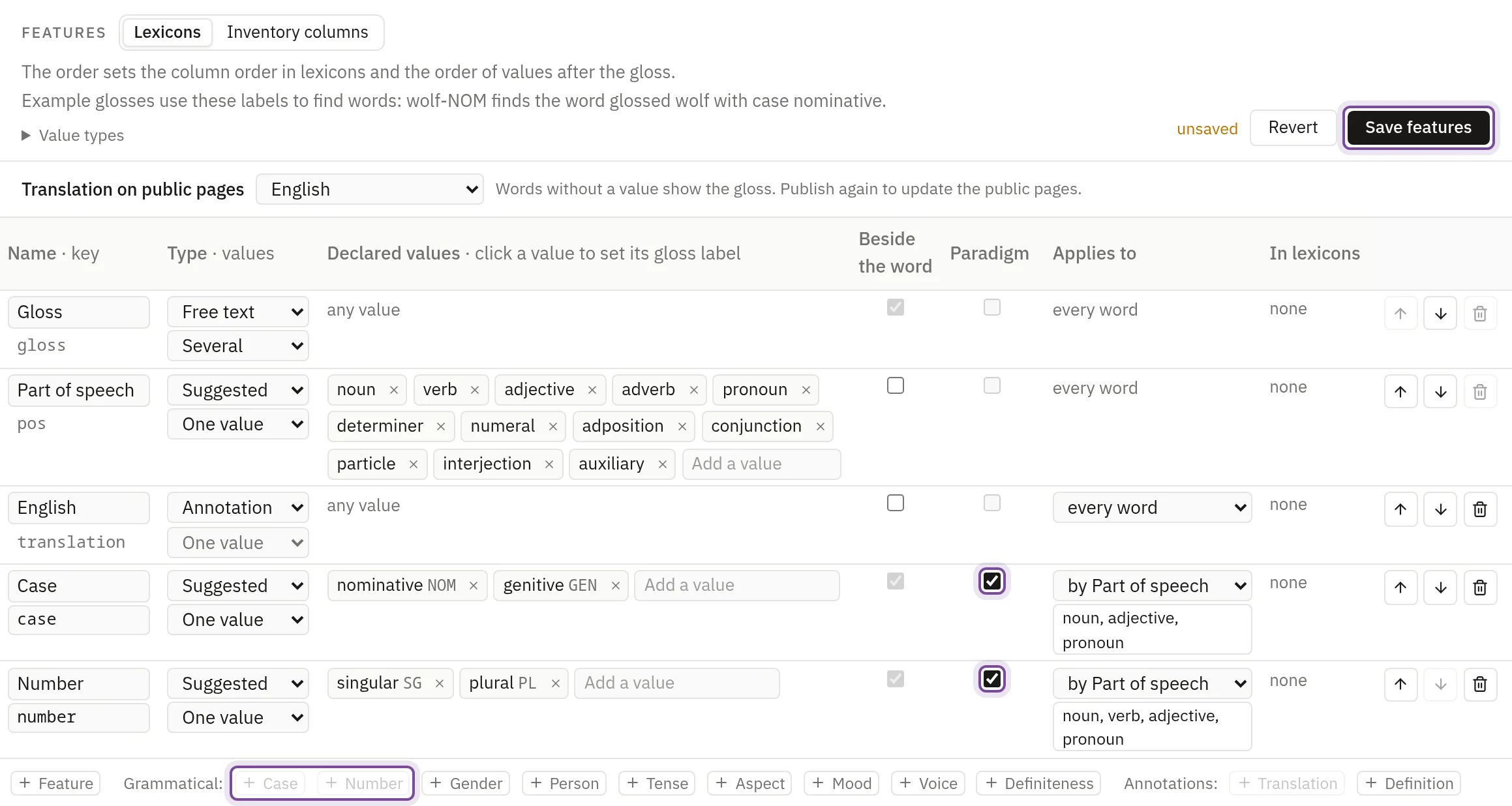
Any project can do this, an old one included: where a feature such as Case exists already, tick Paradigm in its row.
Add the forms
From nothing
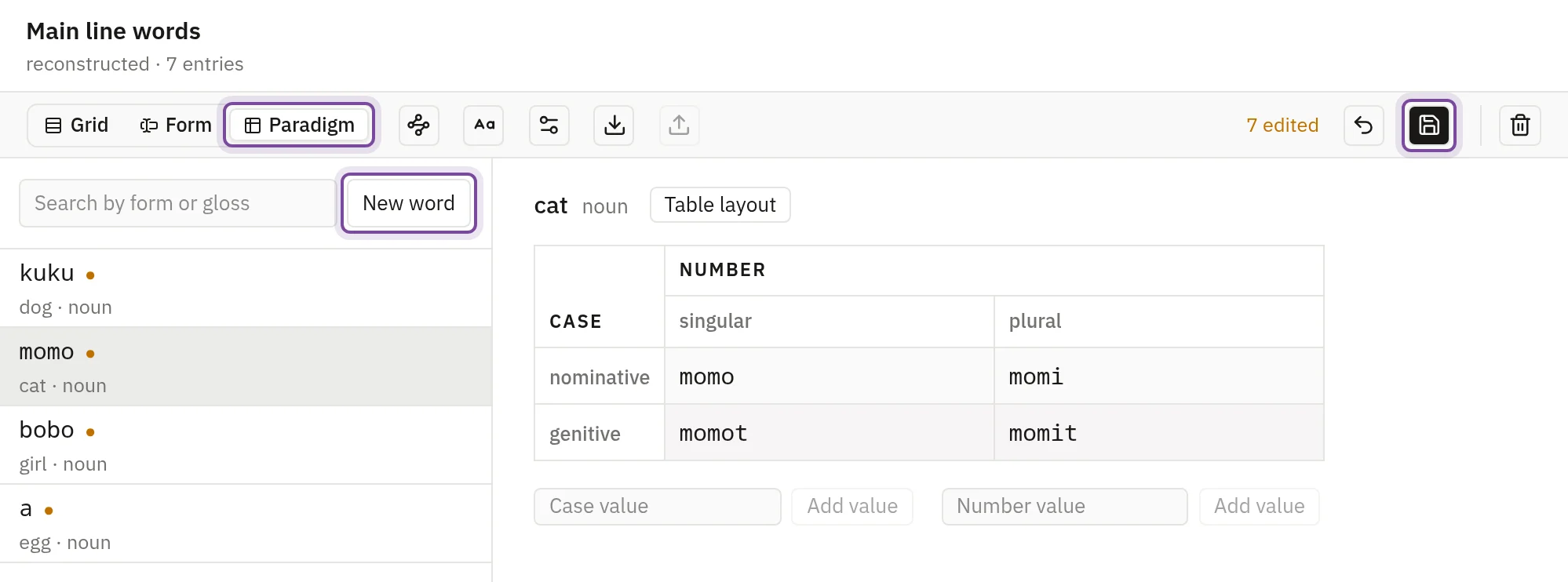
- Open the lexicon Main line words in the sidebar and press Paradigm.
- Press New word, fill in Gloss and Part of speech, and press Add word. The word's table opens.
- Type each form into its cell. Tab moves to the next cell, and the form you leave is saved.
Kobu's cat gets all four forms by hand. The other nouns get their nominative singular.
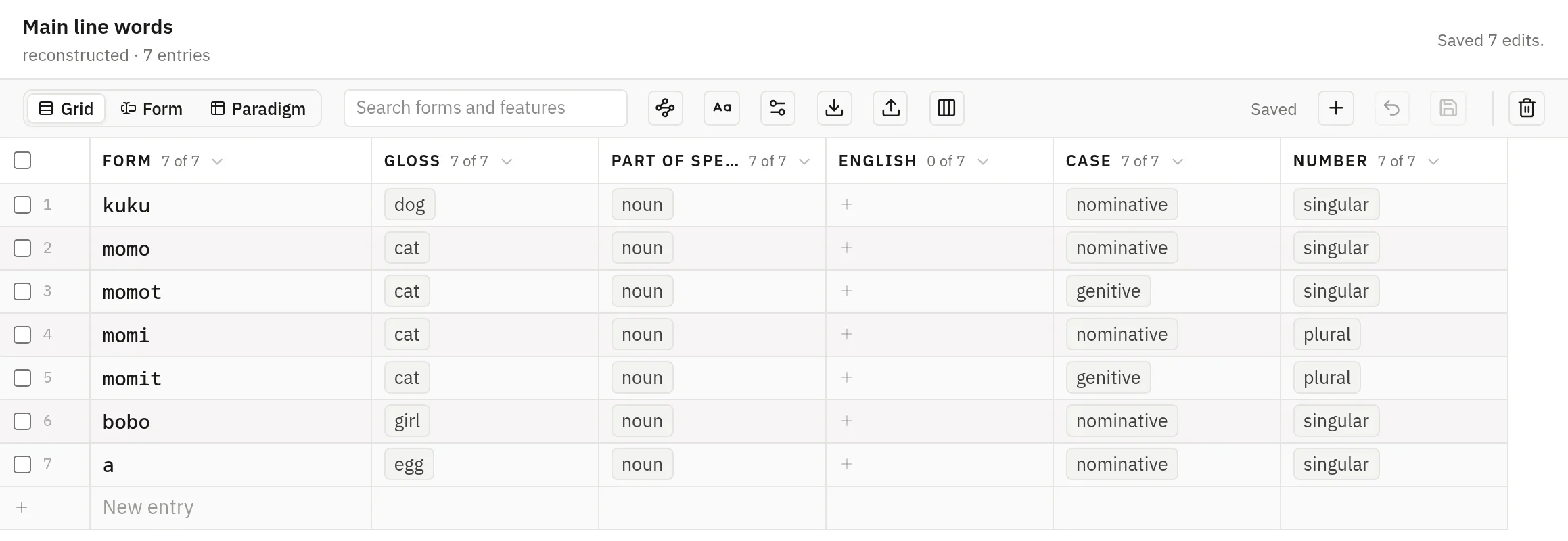
Press Grid to see the same entries, one row for each form. New entry adds a row. Forms of one lexeme need the same gloss and part of speech, letter for letter.
From words you already have
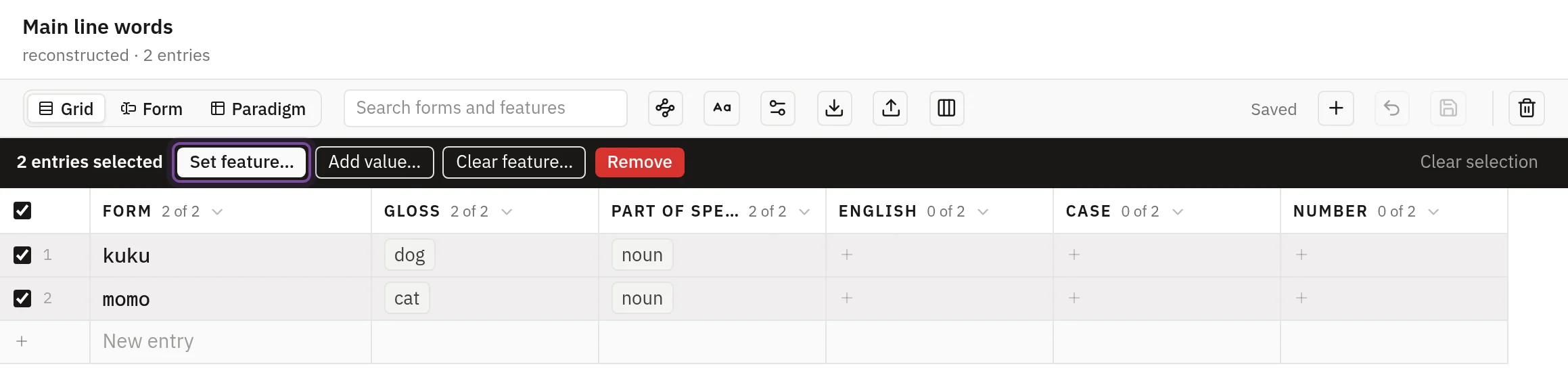
- In the Grid view, tick the rows of your words.
- Press Set feature…, choose Case and nominative, and press Apply to 2, where the number counts your rows. Do the same for Number and singular.
- Press Paradigm and type the other forms into the empty cells.
Read the Paradigms tab
In the editor, press the name of a stage and open the Paradigms tab. Choose a lexeme in the list to see its tables. An empty cell is one this lexeme lacks and other lexemes of its part of speech have. A shaded cell is a combination no lexeme of the part of speech has.
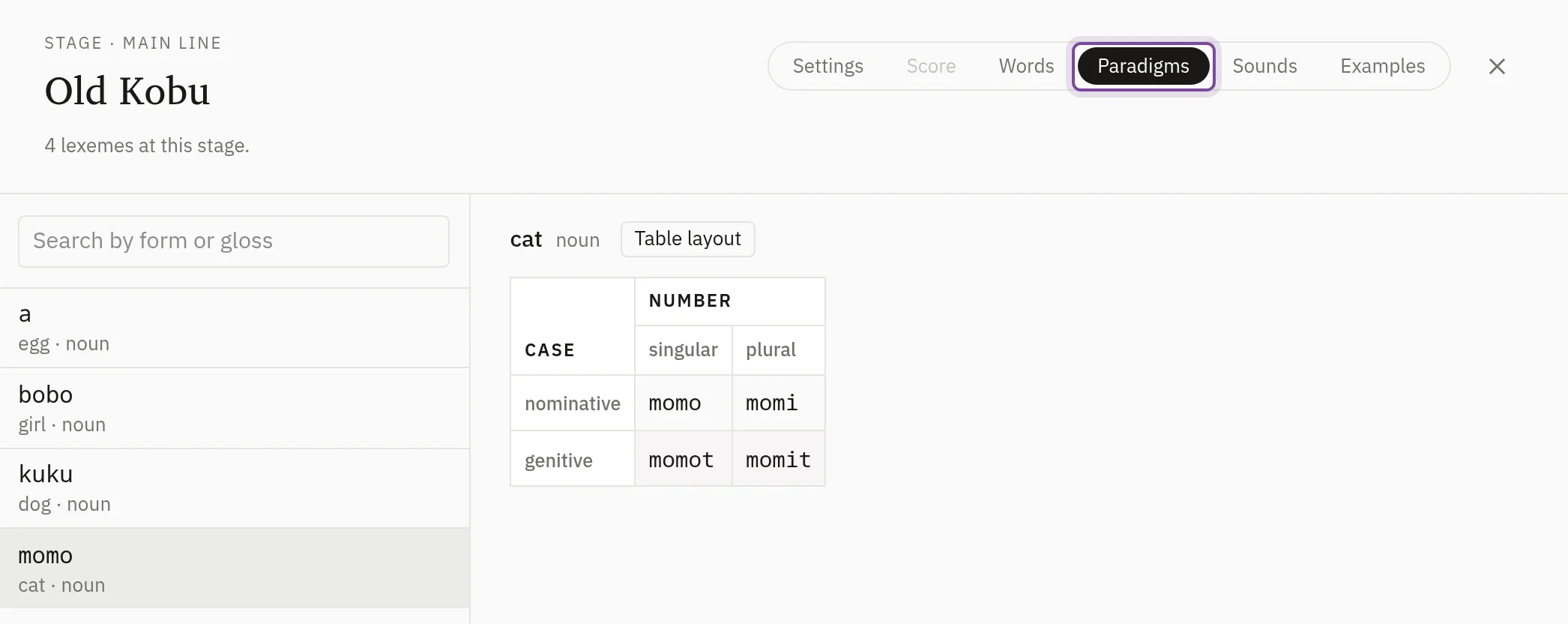
Three or more features
A table holds at most two features, one down the side and one across. Each further feature gives one table per value, and all of a feature's tables have the same rows and columns. A table that no lexeme of the part of speech has a form in is left out.
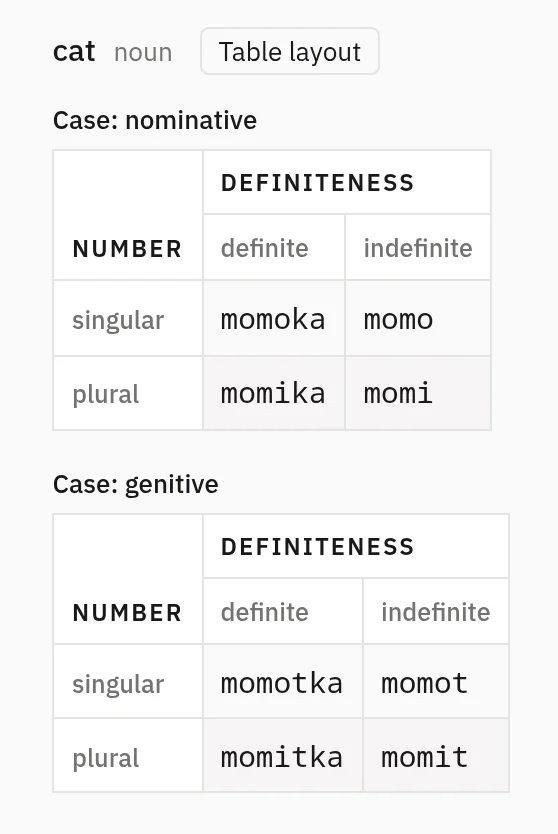
The layout is automatic until you set it: the feature with the most values runs down the side, the next runs across, and the rest give tables.
To set it, press Table layout above the tables and choose where each feature goes: Beside the name, One table per value, Rows or Columns. The arrows order the features that give tables. The layout applies to every lexeme of the part of speech, on the Paradigms tab and in the Paradigm view, and changes no word. Use automatic layout goes back.
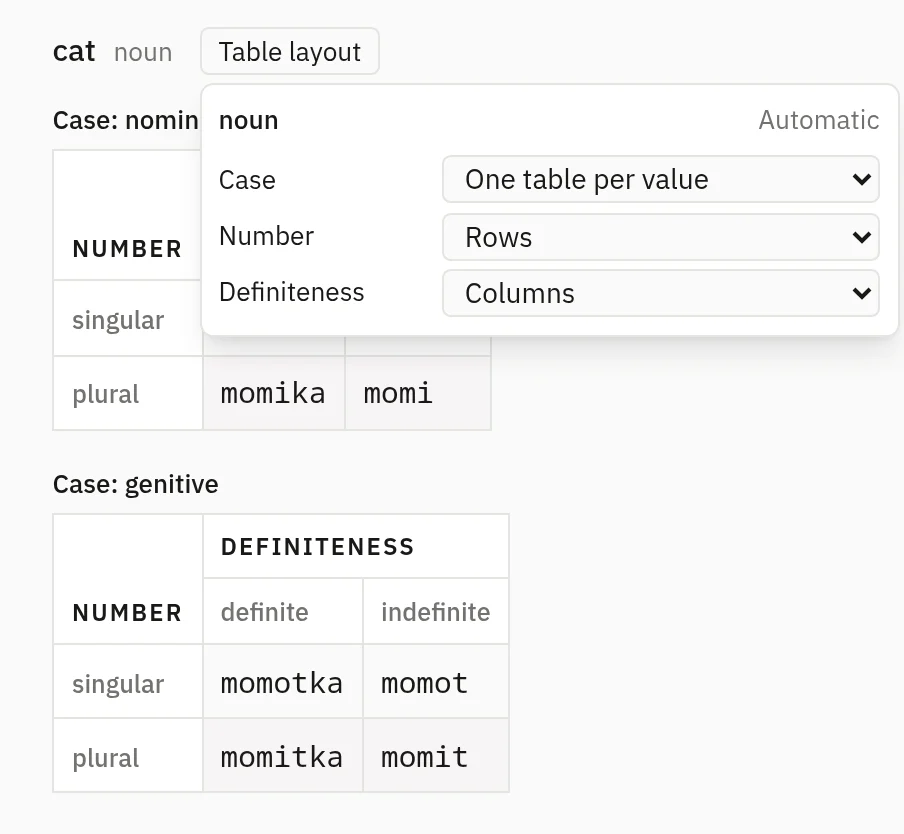
A feature some lexeme varies in can't go beside the name, because its forms have to stay apart.
Why a word is left out
A word with a value of a marked feature and no gloss or no part of speech is in no table. The strip above the list names it, and pressing the name opens its history. To fix it, open the lexicon's Paradigm view, press 1 entry in no table under the list, and fill in what is missing.

A word with no value of a marked feature, such as a conjunction, has no table, and the strip does not name it.